Tag: Payroll

Payroll: Annual Reporting and Tasks

As the end of the tax year approaches – 5th April 2024 – you will need to make sure that you complete all the tasks required.
As an employer running payroll, you need to:

  • report to HM Revenue and Customs (HMRC) on the previous tax year (which ends on 5 April) and give your employees a P60
  • prepare for the new tax year, which starts on 6 April

Send your final payroll report

Send your final Full Payment Submission (FPS) on or before your employees’ last payday of the tax year (which ends on 5 April).

Put ‘Yes’ in the ‘Final submission for year’ field (if available) in your payroll software.

If you run more than one payroll under the same PAYE scheme reference (for example for employees you pay weekly and monthly), include the end-of-year information in your last report.

When to send an Employer Payment Summary (EPS)

You should send your final report in an EPS instead of an FPS if any of the following apply:

  • you forgot to put ‘Yes’ in the ‘Final submission for year’ field in your last FPS
  • your software does not have a ‘Final Submission for year’ field on the FPS
  • you did not pay anyone in the final pay period of the tax year
  • you sent your final FPS early and you did not pay anyone for one or more full tax months in the last tax year

More information can be found here

Payroll: annual reporting and tasks

Send your final payroll report

Send your final Full Payment Submission (FPS) on or before your employees’ last payday of the tax year (which ends on 5 April).

Put ‘Yes’ in the ‘Final submission for year’ field (if available) in your payroll software.

If you run more than one payroll under the same PAYE scheme reference (for example for employees you pay weekly and monthly), include the end-of-year information in your last report.

You need to send extra forms if you claimed a National Insurance holiday for new employers.

When to send an Employer Payment Summary (EPS)

You should send your final report in an EPS instead of an FPS if any of the following apply:

  • you forgot to put ‘Yes’ in the ‘Final submission for year’ field in your last FPS
  • your software does not have a ‘Final Submission for year’ field on the FPS
  • you did not pay anyone in the final pay period of the tax year
  • you sent your final FPS early and you did not pay anyone for one or more full tax months in the last tax year

If you’re late sending your final report

From 20 April you can send an FPS to correct your 2021 to 2022 tax year payroll data by giving the year-to-date figures.

‘Week 53’ payments

If you pay your employees weekly, fortnightly or every 4 weeks, you might need to make a ‘week 53’ payment in your final FPS of the year.

Your payroll software will work out ‘week 53’ payments for you.

In the ‘Tax week number’ field of your FPS, put:

  • ‘53’ if you pay your employees weekly
  • ‘54’ if you pay them fortnightly
  • ‘56’ if you pay them every 4 weeks

HMRC will send a P800 form to any employees who owe tax following a ‘week 53’ payment.

More information can be found here
National Minimum Wage and National Living Wage rates

Current rates

These rates are for the National Living Wage (for those aged 23 and over) and the National Minimum Wage (for those of at least school leaving age). The rates change on 1 April every year.

23 and over21 to 2218 to 20Under 18Apprentice
April 2022 (current rate)£9.50£9.18£6.83£4.81£4.81
April 2023£10.42£10.18£7.49£5.28£5.28

Apprentices

Apprentices are entitled to the apprentice rate if they’re either:

  • aged under 19
  • aged 19 or over and in the first year of their apprenticeship

More information and examples can be found here

Reversal of Health and Social Care levy

A49265B2-0D66-4811-A3D8-4571301DC086Reversal of Health and Social Care levy

  • The government is cancelling the Health and Social Care Levy – initially introduced via a 1.25 percentage point rise in National Insurance contributions (NICs) – which took effect in April 2022. 
  • This will be delivered in two parts: 
    • The government will reduce National Insurance rates from 6 November 2022, in effect removing the temporary 1.25 percentage point increase for the remainder of the 2022-23 tax year; 
    • The 1.25% Health and Social Care Levy will not come into force as a separate tax from 6 April 2023 as previously planned. 
  • It means 28 million people across the UK will keep an extra £330 a year, on average, in 2023-24. 
  • The government is making this change as quickly as possible, with it coming into force on 6 November. 

When will people receive the extra cash? 

  • Most employees will receive the cut in their November 2022 pay directly via their payroll. 
  • Basic rate taxpayers will on average see a gain of approximately £75 in 2022-23 rising to £175 in 23-24. For higher rate taxpayers, these figures are on average approximately £300 in 2022-23 rising to £700 in 23-24. For additional rate taxpayers, the gain will be on average approximately £1,650 in 2022-23 rising to £3,890 in 23-24. 
  • Due to the complexities of some payroll software systems, there will be some people who receive the cut backdated in December 2022 or January 2023. 
  • Although individuals should contact their employer for refunds as a first port of call in all circumstances, there may be circumstances where individuals may need to apply to HMRC for a refund (for example, if their employer is no longer trading, or if an individual has moved roles and their previous employer has confirmed they are unable to issue a refund retrospectively themselves). 

What happens if you do not report payroll information on time

D55F3A85-4C8C-4000-8482-9D1DEE8C5C44When penalties are charged

You can get a penalty if:

HMRC will not charge a penalty if:

  • your FPS is late but all reported payments on the FPS are within 3 days of your employees’ payday, however employers who regularly file after the payment date but within 3 days may be contacted or considered for a penalty
  • you’re a new employer and you sent your first FPS within 30 days of paying an employee
  • it’s your first failure in the tax year to send a report on time (this does not apply to employers who register with HMRC as an annual scheme)

How much you pay

What you pay depends on how many employees you have.

Number of employees Monthly penalty
1 to 9 £100
10 to 49 £200
50 to 249 £300
250 or more £400

If you run more than one PAYE scheme, you can be charged penalties for each.

How we estimate what you owe

HMRC may raise a specified charge based on an estimate of how much we think you should pay if you do not:

  • submit your FPS on time
  • tell HMRC, by sending an EPS, that you have not paid any employees

This is based on your previous PAYE payment and filing history. You’ll be able to see any specified charge by looking at your PAYE account online.

A specified charge does not replace the need for you to send your FPS or EPS. Only submitting the missing FPS or EPS for each month will:

  • replace the charges with the amount that is due for each month
  • support an appeal you make against a late filing penalty

If you send updated year-to-date figures in your next FPS instead, the specified charges will remain in place. However, your accounting record will be adjusted to reflect the year-to-date figures given in the later month.

If you get a penalty

HMRC sends penalty notices every quarter. A notice will include:

If you pay the penalty within 30 days of getting the notice you will not be charged interest.

You can appeal if you think:

  • the penalty is not due
  • the amount of the penalty is wrong
  • you had a reasonable excuse for sending your reports late

Reasons you can give for grounds of appeal are:

  • data on the returns was incorrect
  • death or bereavement
  • filing expectation incorrect
  • filed on time
  • fire, flood or natural disaster
  • ill health
  • IT difficulty
  • missed correction or easement
  • no longer have any employees
  • no payments to employees
  • theft or crime
  • other – only use this option if your reason for appeal does not fall into any of the categories in the online system

More information can be found here
Payroll Annual Reporting

Payroll 21If you are an employer running payroll, you need to:

  • report to HM Revenue and Customs (HMRC) on the previous tax year (which ends on 5 April) and give your employees a P60
  • prepare for the new tax year, which starts on 6 April

Update employee payroll records

For each employee working for you on 6 April, you’ll need to:

  • prepare a payroll record
  • identify the correct tax code to use in the new tax year (The most common tax code for tax year 2021 to 2022 is 1257L.  You can find out more about tax codes here)
  • enter their tax code in your payroll software

You should include in your payroll:

  • all employees you pay in the tax year, no matter how much you pay them
  • any employee who has worked for you in the current tax year (since 6 April) even if they have already left

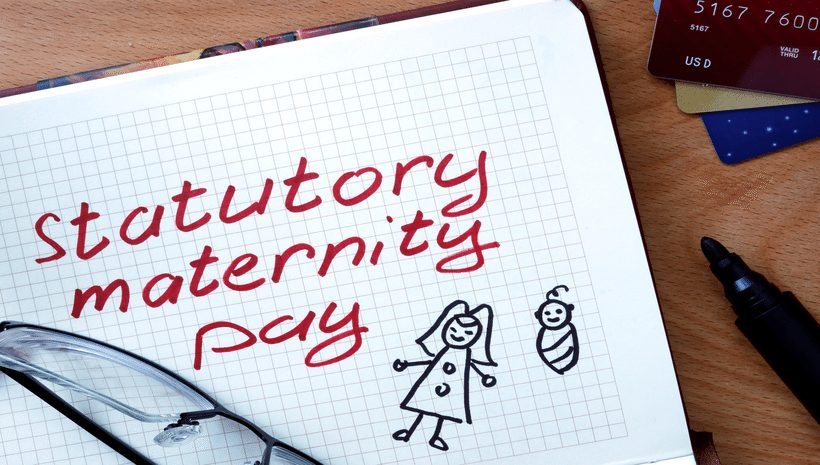
Statutory Maternity Pay and Pay Rises

Statutory Maternity Pay and LeaveEmployee earnings affected by a pay rise

A pay rise must not be withheld because of maternity leave.

You must recalculate the average weekly earnings (AWE) to take account of pay rises awarded, or that would have been awarded had your employee not been on maternity leave.

This applies if the pay rise was effective from anytime between the start of the 8 week relevant period for Statutory Maternity Pay (SMP) and the end of the statutory maternity leave.

If a pay rise is awarded after you’ve calculated your employee’s earnings, and that pay rise is effective from the start date of the relevant period but before the Maternity Pay Period (MPP) ends, you must:

  • recalculate the AWE to include the pay rise as though it was effective from the beginning of the relevant period
  • pay any extra SMP due

If a pay rise is awarded which, when recalculated, means that earnings are now high enough for your employee to get SMP when they could not before, you must:

  1. Work out 90% of the AWE.
  2. Take away the standard rate of SMP.
  3. Pay the difference for 6 weeks.

If 90% of the AWE is less than the standard rate you might not have to pay your employee anything.

This is because they may have received the balance of SMP due from Jobcentre Plus (or the Jobs and Benefits office in Northern Ireland) as Maternity Allowance (MA).

Not all women are entitled to MA, or the MA may be less than the SMP your employee is now entitled to. You should ask them to get a letter from the Jobcentre Plus (or the Jobs and Benefits office in Northern Ireland) to confirm how much MA was received.

If your employee gives you a letter from the Jobcentre Plus office (or the Jobs and Benefits office in Northern Ireland) showing how much MA was received:

  1. Work out the total amount of SMP they’re entitled to.
  2. Take away the MA that was paid.
  3. Take away any SMP you’ve already paid.
  4. Pay your employee the difference.

Your employee should still benefit from a pay rise, even if they do not intend to return to work with you after their maternity leave has ended.

If a pay award is made after they have terminated their employment and the pay rise is backdated to when they were working for you, or were on maternity leave with you, they may be entitled to benefit from the pay rise. You must check the terms of their old contract of employment.

If more than one pay rise has been awarded during the period they were on maternity leave you’ll need to make separate calculations for each one.

Further details can be found here

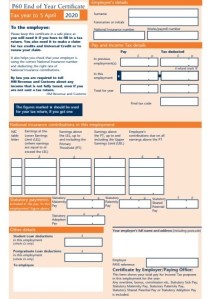
PAYE Form P60 for your employees

Form P60 pictureIf you employ staff, you must give all employees a P60 at the end of each tax year, if they are working for you on 5 April.  This must provide this by 31 May, on paper or electronically.  You can either:

You can’t download blank P45 and P60 forms.

Contact HMRC if you have problems ordering online, your order hasn’t arrived in 7 working days, or to order by telephone 0300 123 1074.

A P60 shows an employee the tax that has been paid on their salary during the tax year (6 April – 5 April).  They will get a separate P60 for each of their jobs.

They need this P60 to prove how much tax they have paid on their salary, for example:

  • to claim back overpaid tax
  • to apply for tax credits
  • as proof of their income if they apply for a loan or a mortgage

They can check how much tax they paid last year if they think they might have paid too much (https://www.gov.uk/check-income-tax-last-year)

National Insurance Category Letters

HMRCEmployers use an employee’s National Insurance Category Letter when they run payroll to work out how much they both need to contribute.

Most employees have category letter A.  Employees can find their category letter on their payslip.

Category letter Employee group
A All employees apart from those in groups B, C, J, H, M and Z in this table
B Married women and widows entitled to pay reduced National Insurance
C Employees over the State Pension Age
J Employees who can defer National Insurance because they’re already paying it in another job
H Apprentice under 25
M Employees under 21
Z Employees under 21 who can defer National Insurance because they’re already paying it in another job

Category letter X

Employers use category letter X for employees who don’t have to pay National Insurance, for example because they’re under 16.

Payroll: Annual Reporting and Tasks

Image result for PayrollAs an employer running payroll, you need to:

  • report to HM Revenue and Customs (HMRC) on the previous tax year (which ends on 5 April) and give your employees a P60
  • prepare for the new tax year, which starts on 6 April
  What you need to do   When
Send your final payroll report of the year On or before your employees’ payday
Update employee payroll records From 6 April
Update payroll software From 6 April (or earlier if the software provider asks you to)
Give your employees a P60 By 31 May
Report employee expenses and benefits By 6 July